
quickConnect Beyond Self-Checkout
March 20, 2026

Most library staff know quickConnect as the software behind self-checkout. Scan your card, borrow your books, done. That description is accurate but incomplete.

In practice, the platform does far more. Features like patron personalization, branded lighting, and remote configuration reveal a broader set of possibilities for libraries.

To take a closer look at the platform, Bibliotheca recently hosted a live demo webinar, moderated by Bryan Pasteryk, SVP of Sales Americas. Gwyneth Jelinek and Lori Livesay, Customer Education Specialists with deep experience in library operations, led the session.

Here’s a look at what they covered.

Remote Control

quickConnect System Manager | quickConnect Beyond Self-Checkout

System Manager allows staff to configure and manage kiosks remotely through a web-based interface.

Every selfCheck kiosk running quickConnect also runs a companion tool called System Manager. It is web-based and can be accessed from another computer.
Instead of using an admin control card at the machine, staff can open a browser and make configuration changes remotely.

Staff can also store the admin card barcode on their phone using apps like CardStar, allowing access to System Manager from any kiosk without carrying a physical card.

System Manager is used to customize and configure the kiosk, helping libraries shape the patron experience.

The Promotional Space

quickConnect selfCheck screen | quickConnect Beyond Self-Checkout

The selfCheck interface can display promotional content, giving libraries a direct channel to highlight programs, services, and events.

The image carousel on the selfCheck screen provides a direct channel to patrons while they are engaged in a transaction. Libraries can upload their own promotional images, organize them into categories, and control when they appear by setting start and end dates.

Content can be managed without ongoing manual cleanup, with assets expiring automatically.

quickConnect integrates with third-party event tools such as Communico, LocalHop, and SpringShare LibCal, allowing libraries to surface live event listings directly on the kiosk. Patrons can browse upcoming programs, view event details, and print or email information as needed.

Through uniFi+, this content can also extend to branded digital displays across the building, creating a more consistent experience beyond the kiosk.

Ready-to-use Canva templates in all required dimensions are available through the quickConnect Resource Center.

Receipts Are a Communication Tool

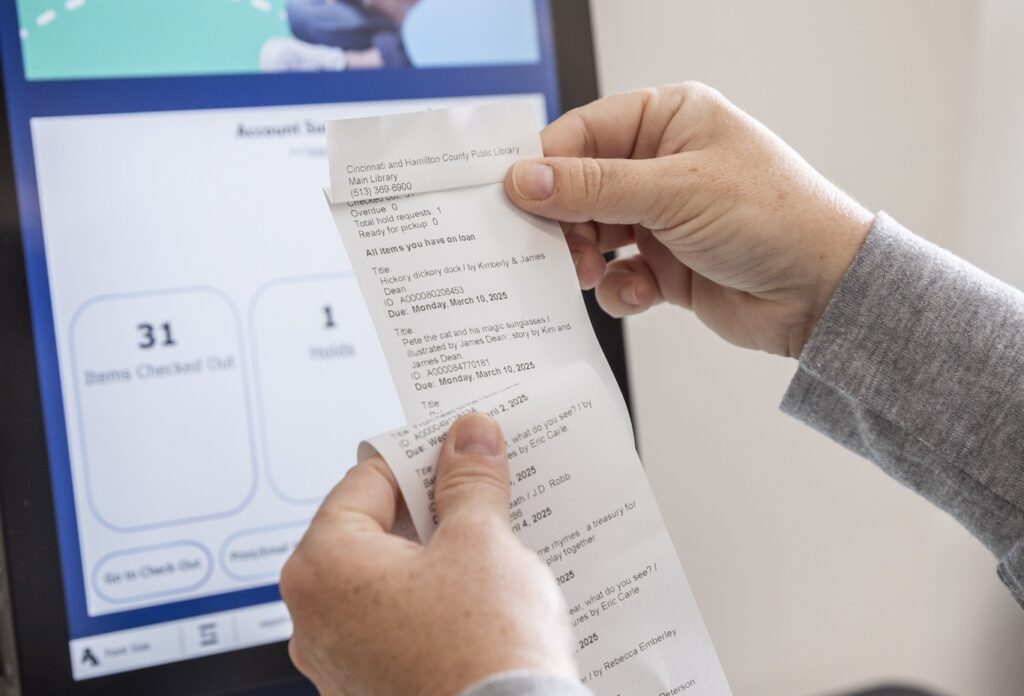
selfCheck receipt | quickConnect Beyond Self-Checkout

At Cincinnati & Hamilton County Public Library, a printed receipt becomes an additional channel for sharing information.

Transaction receipts, whether printed or emailed, can do more than confirm due dates. Through System Manager, staff can add header and footer text, include a library logo, insert a URL, or add a QR code linking to programs or digital resources.

The same content can be delivered across both printed and emailed receipts. Updates can be made quickly and do not require specialized design tools beyond a simple QR code generator, as demonstrated during the session.

Ambient Lighting

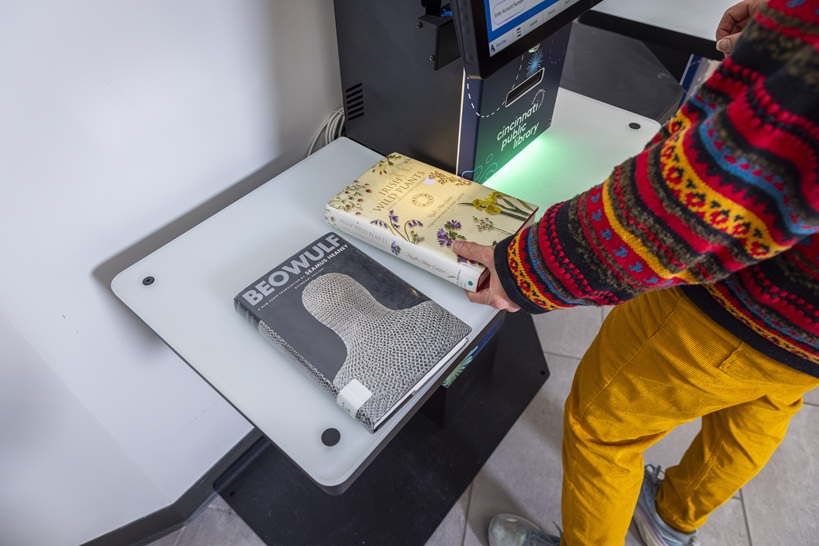
Cincinnati Main OH selfCheck 3000 lightning | quickConnect Beyond Self-Checkout

Ambient lighting on the selfCheck kiosk provides a subtle visual cue and can be customized to match the library’s identity.

The selfCheck 3000 includes ambient LED lighting that many libraries set once and rarely revisit. Through System Manager, staff can adjust the default glow color to better align with their library’s visual identity.

Different colors can also be used to reflect system status, giving staff a quick visual cue when attention may be needed. While seasonal or branded lighting is a common use, this feature can also support day-to-day operations in a simple, visible way.

Language and Access

quickConnect Languages | quickConnect Beyond Self-Checkout

quickConnect supports 74 languages, including regional variations, at no additional cost.

Language selection is built into the accessibility menu within quickConnect. Patrons can choose from the languages configured by the library, and the interface adjusts to reflect their selection during the transaction. When the session ends, the screen returns to the default language for the next patron.

The platform supports 74 languages, including regional variations, at no additional cost. Portuguese, for example, includes separate options for Portugal and Brazil, and English can be configured for different regional preferences.

Libraries can also customize language files by adapting existing ones and editing on-screen text. Hawaii State Public Libraries used this approach to introduce a Hawaiian language option.

Patron Preferences

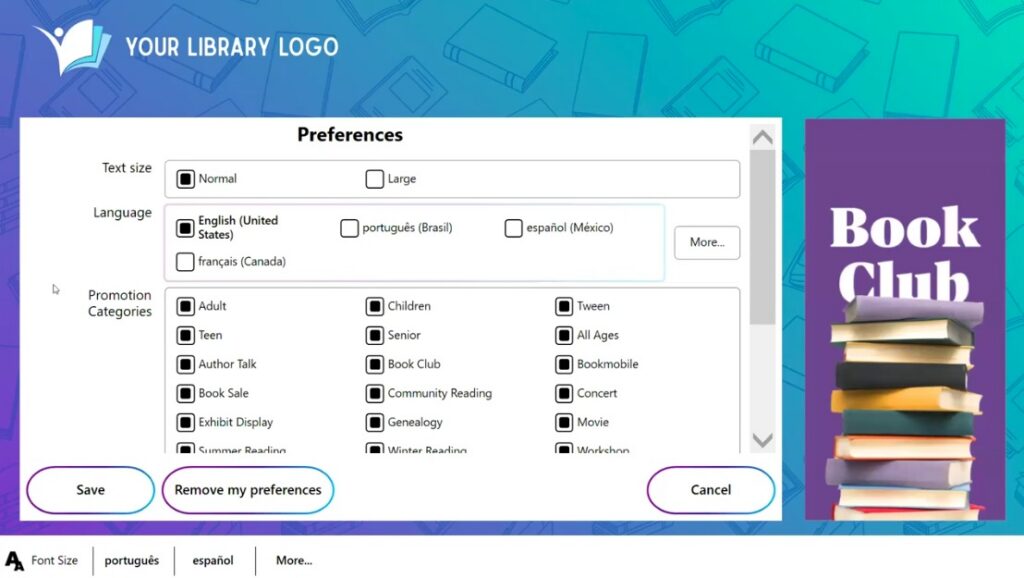
quickConnect Preferences | quickConnect Beyond Self-Checkout

Preferences such as language, text size, and delivery options can be saved and applied automatically across future sessions.

The rememberMe feature allows patrons to save their preferences for future visits. When they return and scan their library card, their settings can be applied automatically.

These preferences may include language, text size, visual theme, and receipt delivery method, helping create a more consistent and accessible experience over time.

Preferences are not tied to a single kiosk, allowing patrons to carry their settings across different selfCheck stations within the same library system.

Next Steps

Ready to get started? The quickConnect Resource Center includes Canva templates sized for the promotional carousel, along with resources to support customization. The integrations page outlines available third-party solutions, from calendar tools to payment and engagement platforms.

To learn more or request a live demo, get in touch with our team.

Spread the Word
icon-open-book

You may also Like

Insights + Trends