

By Vinicius Flores, PhD
Marketing Communications Manager · PhD in Communication
Most people picture security gates when they hear RFID in libraries. Gates are one use. The same tag that secures an item can also identify it, which is what makes faster check-in and check-out, self-service, and shelf inventory possible without scanning one barcode at a time.
That was the starting point for Tagged for Success: The RFID Advantage, a Bibliotheca customer training session led by Lori Livesay and Gwyneth Jelinek of Bibliotheca Academy. Both came to Bibliotheca from library circulation roles, and Livesay managed an RFID conversion at the public library where she worked before joining the company.
The session covered the basic mechanics of RFID, then conversion, circulation, security, and collection management, with live demonstrations along the way.
How RFID Works
RFID has two parts: a tag and an antenna.
The tag sits inside the library item. A small chip stores information about the item, and a small antenna printed on the tag lets an RFID reader retrieve it.
Library RFID tags are passive. They have no battery and do not broadcast on their own. They wait until they come within range of a powered RFID antenna.
During conversion, the library writes three data points to the tag: the item barcode, the item or media type, and a code identifying the home library, defined under the ISO standards as an ISIL code. United States libraries commonly use their OCLC symbol here, which is accepted as an ISIL-compatible identifier. Libraries in Canada, Brazil, and other markets typically use an ISIL issued by their national agency.
The tag also carries a security bit. It is turned on during tagging, turned off at checkout, and turned back on at check-in.
An RFID staff workstation is one form of reader. It is a flat pad at the circulation desk or in technical services that can read a stack of items 12 to 18 inches high, pass the barcodes to the ILS, and change the security bit in the same operation. Security gates use the same underlying principle at a much larger scale, while handheld inventory devices bring RFID reading directly to the shelves.
Unlike a barcode scanner, an RFID reader can read multiple tags at once.
Across the library, the same basic RFID principle supports different workflows. The tag stays the same; what changes is the reader and what the library needs it to do. The five examples below show how RFID connects circulation, self-service, security, and inventory.

1 RFID tags
Carry item information and security throughout the RFID workflow.

2 RFID workstation
Reads multiple tagged items at once at the staff desk.

3 Self-service kiosk
Lets patrons check out several tagged items in one interaction.

4 Security gates
Detect tagged items whose security is still active.

5 DLA inventoryWand
Reads tagged items directly on the shelf for inventory and search.
Beyond Security
Identification is what separates RFID from security-only technologies such as electromagnetic systems.
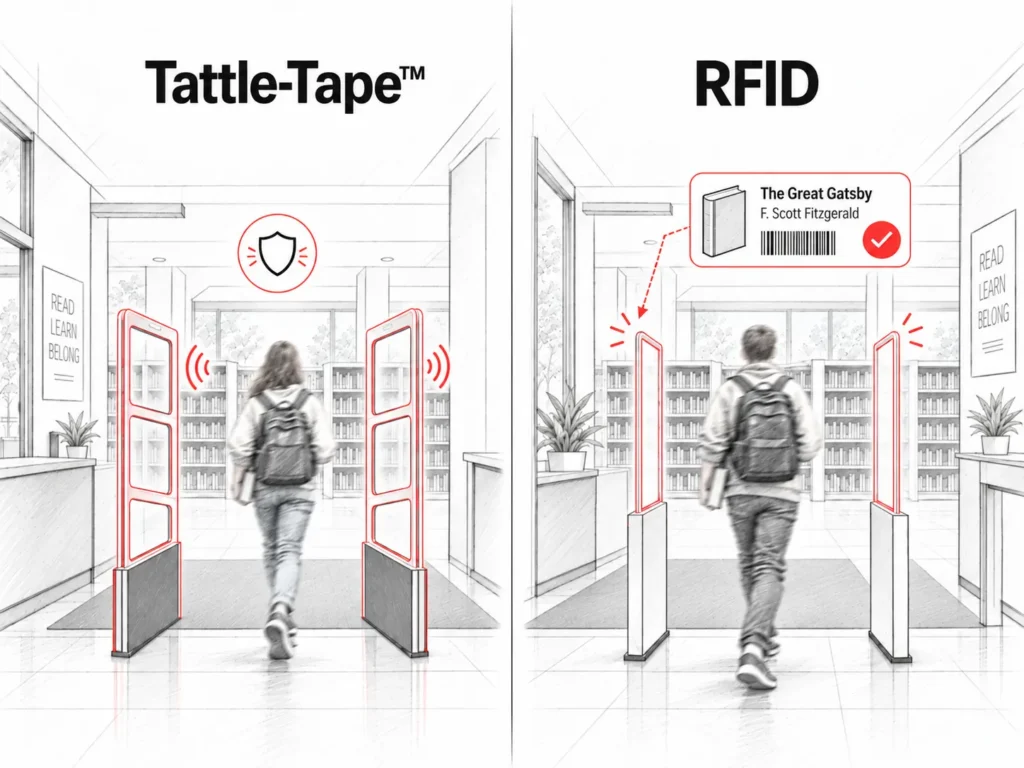
With Tattle-Tape™, the electromagnetic strip carries a security state: secured or unsecured. If an active strip passes through the gates, the system triggers an alarm. It does not identify the item that caused it, so staff may need to check materials individually.
RFID adds identification to that security function. The tag carries both a security state and an item identifier. When an RFID gate alarms, it can also capture that identifier, allowing software to resolve it to a specific title. That same identification capability is what allows RFID to support circulation, self-service, returns, inventory, searches for missing items, and other collection management tasks.
Standardization helped make those uses possible across different systems and vendors. ISO first published the ISO 28560 series for RFID in libraries in 2011, establishing a common framework for the data stored on library RFID tags and supporting interoperability across systems and vendors. The standard has since been revised, most recently in 2023.
For print materials, the placement recommendation is the inside back cover, with tags staggered across three positions rather than placed in the same spot in every book. When tags line up directly on top of each other in a stack or on a shelf, a workstation, gate, or inventory wand has a harder time telling them apart.
RFID Conversion
The most labor-intensive part of RFID is conversion. Every existing item needs a tag, and each tag needs to be associated with the item already in the collection.
Jelinek demonstrated the process live. The conversion software is preconfigured with the library’s media types and home library code. She scanned an item’s existing barcode and placed the item on the RFID antenna. The software then wrote the data to the tag and switched the security bit on. Three items took well under a minute, even with the commentary.
The software runs locally. It does not need a connection to the ILS while tagging, because it is only taking the barcode from the scanner and writing it to the tag on the antenna.
For libraries working through existing stacks, the presenters recommended bringing the equipment to the books rather than moving the books to a separate workspace. Bibliotheca leases a mobile tagging cart with the software preinstalled, a barcode scanner, an RFID antenna mounted beneath it, and a tag dispenser that feeds one tag at a time. A library can also assemble its own from a book truck, a laptop with the software, a roll of tags, a scanner, and an antenna.
With two people working from a cart, Jelinek estimated a team can tag at least 300 items an hour.
Conversion is still a project, and for a large collection it takes time. But each item only goes through it once. Once conversion is complete, the tag becomes part of the library’s day-to-day workflows.

From Scan to Batch
Livesay illustrated the circulation difference with three books.
In an EM workflow, staff might scan three barcodes and then deactivate three security strips: six actions for three items.
With RFID, the three items go on the antenna together. The workstation reads their identifiers, communicates with the ILS, processes the checkout, and changes the security status in the same interaction. In the demonstration, the ILS was Koha.
The same applies at self-check. Instead of finding and scanning each barcode, a patron can place several RFID-tagged items in the reading area at once. Self-check units also handle returns, and an RFID return switches the security bit back on immediately, so an item that has just been checked in cannot be carried back out through the gate.
Staff still check the physical condition of returned items and handle the exceptions. RFID takes the repetitive scanning out of the middle. The time saved on a single checkout may be small, but it adds up across years of circulation.
Gate Alarms
RFID also changes the gate alarm.
A conventional alarm tells staff that something triggered the gate. It does not necessarily tell them what.
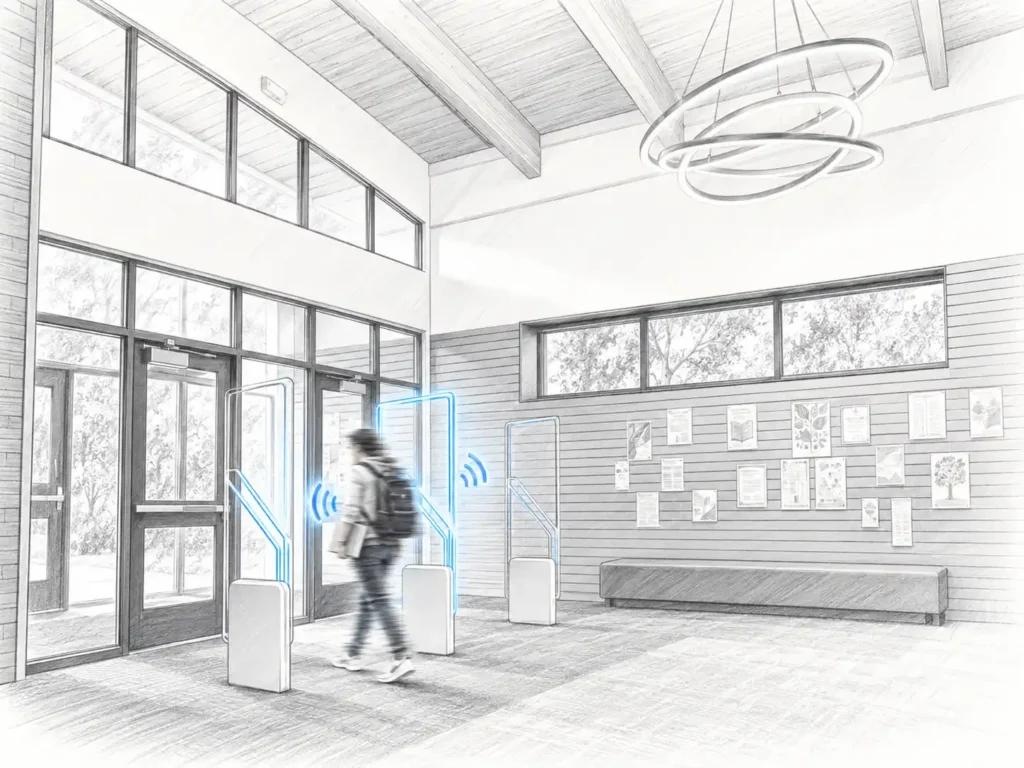
An RFID gate looks for one thing: a library tag with the security bit still on. Cell phones and leftover retail security tags do not trigger it, so there are fewer false alarms.
When the gate does alarm, it reads the tag that caused it. With staffConnect gate, installed on a computer near the gates, that information goes to the ILS and the title appears on screen for staff. Instead of asking a patron to empty a bag or walk through the gates again, staff can check the status of a known item.
The software also keeps a record of gate alarms, so libraries can run reports on what set the gates off and when.
Shelf Inventory
RFID also changes how libraries manage items on the shelves.
Once the collection is tagged, an RFID inventory wand can read items where they sit.
During the webinar, Jelinek scanned two shelves holding 30 items in a matter of seconds. The device returned title, call number, barcode, and author for each one. With a wand, a collection can be covered in hours, or a day or so for a very large one.
The wand can do more than a traditional inventory. Libraries can load search lists and look for items marked missing. They can flag items on the shelf with the security bit turned off, and the wand can turn security back on as it passes. They can find materials that are substantially out of sequence. And the collected barcodes can be exported as a plain text file and uploaded to the ILS, which marks every item on the list as inventoried on that date and shows which items were not found.
Jelinek offered a point of comparison from her academic library days. The collection had well over a million items, and the catalog needed four separate missing statuses to track how many times staff had searched for an item. A wand would have reduced much of that work.
The wand has one limitation worth knowing. Because an RFID antenna reads several nearby tags at once, it cannot always tell whether two adjacent books have been swapped. It can identify larger sequencing problems, such as an item sitting at the wrong end of a shelf. Some inventory devices let staff set a tolerance, so the wand only reports items that are out of order by more than a given number of positions.
The question came up during the Q&A and matters for libraries evaluating RFID as a shelving tool.
Practical Considerations
RFID at Any Scale
The presenters often hear two opposite objections.
Small libraries sometimes assume they do not have enough circulation to justify RFID. Large libraries worry that tagging the entire collection will be too much work.
For a small library, the case usually comes down to staff capacity. When the same person covers circulation, reference, programming, and technical services, cutting repetitive circulation and inventory work matters more, not less. Self-service becomes practical in a small building with a tagged collection and a single self-check unit.
For large libraries, the tradeoff is different. Conversion is a bigger project, but so are the inventories and collection searches that follow it.
In both cases, the question is how the work required for conversion compares with the repetitive work it removes afterward.
Tag prices have also dropped considerably since the early years of library RFID, which changes the budget conversation with a board. And the presenters said they have never worked with a library that regretted converting. The more common reaction is to ask why they did not do it sooner.
Dense Collections
The Q&A surfaced one of the practical limits of RFID reading: tag density.
A stack of novels and a stack of sheet music may have the same height but hold very different numbers of tags. When many tags sit very close together, reading all of them gets harder. Staggered tag placement helps. At the circulation desk, Jelinek’s advice is to size the stack by how many titles staff can comfortably verify on screen at once, not by the read range of the antenna.
On the shelves, the current DLA inventoryWand includes a boost mode that raises the antenna’s signal strength. Combined with a slower pass, it can pick up tags that are packed closely together.
The presenters used that mode during a recent visit to the Minnesota Historical Society library, where several floors of dense archival stacks required a slower scan. Even at that pace, the wand collected close to everything on the shelf and was still far faster than pulling and scanning each item.

Rewriting RFID Tags
The data stored on a tag can be rewritten, which helps when something about the item changes. The most common case is a replaced barcode: if a cover is damaged and replaced, the tag stays and gets reprogrammed.
Physically removing a tag from a book is another matter. The adhesive bonds strongly to paper and the tags are guaranteed for the life of the item, so reuse usually means rewriting the existing tag rather than peeling it out and moving it to another book.
The webinar also covered specialized asset tags for items with higher metal content, such as Chromebooks, tablets, and mobile hotspots, whether they circulate or stay in the building.
Where RFID Goes Next
The session also looked at what libraries can do with RFID today beyond the desk, and at what is coming.
One current example is an RFID-enabled return shelf. Patrons place returned items directly on the shelf, the ILS checks them in real time, and the items are immediately available for another patron to pick up and check out on the spot. Hold slips can be printed in the workroom as holds arrive.
Livesay also showed autonomous inventory robots equipped with RFID antennas. They move through the stacks and collect inventory data while the library is closed.
The technology already exists in some markets, including South Korea. Bibliotheca is partnering with Sensorbot in this area and covered the robots in a separate webinar, although the presenters emphasized that these systems are not yet a standard Bibliotheca offering in the United States.
The robots work on the same principle as a handheld wand: they identify items without scanning each barcode. The same principle supports many of the RFID workflows already used elsewhere in the library.

Watch the full session. The recording includes the complete RFID conversion demonstration, a live DLA inventoryWand demonstration, the audience Q&A, and an overview of Bibliotheca Academy, the on-demand training platform that now supports customers through conversion and beyond.
Questions covered RFID versus EM, tag reuse, RFID on Chromebooks and other equipment, densely packed collections such as sheet music, gate alarm identification, inventory accuracy, and how precisely RFID can detect materials that are out of sequence.
For libraries considering conversion, the session also walks through what the tagging project looks like before those longer-term efficiencies begin.
Fill out the form below to get access to the recording.
SHARE THIS ARTICLE

You may also Like
Insights + Trends

Customer Training: Hot Topics in quickConnect and System Manager
Discover practical tips for customizing your Bibliotheca selfCheck kiosks using quickConnect and System Manager. Learn how to personalize receipts, promote library events, add seasonal messages, and explore new patron preference settings. Join us for a live Q&A to get your self-service customization questions answered.

AI for Librarians: Where to Start and 5 Real Use Cases
The skills behind a good reference interview are the same ones that make AI useful. A library director shows how, with five projects you can borrow.
libraryConnect LINK: Managing Devices, Data and Support in One Place
See how libraryConnect LINK gives library teams a clearer way to monitor equipment, manage changes, troubleshoot issues, and use operational data.