

Security, Privacy, and Access
at the Library Door
By Vinicius Flores, PhD
Marketing Communications Manager · PhD in Communication
An alarm, and what happened next
A class of schoolchildren is leaving the library. The alarm goes off.
Somewhere in that group is an item that has triggered the gate. The gate knows this much. What it cannot say is which item, or which child. So the staff member does the only thing available: stops the group, collects the books, and scans them one at a time until the title turns up.
Everyone in that line is now waiting. Most of them did nothing wrong.
Librarians at Gatineau Public Library in Quebec described this routine before they changed systems. Afterward, with RFID gates and staffConnect gate software, the alarm arrived with a title attached. Staff librarian Hui-Yu Chang captures the practical difference in a single sentence: staff can now ask which child has a particular title.
Gatineau’s problem was not detection. It was knowing what had set the alarm off, and for much of this technology’s history that meant checking the materials by hand.
The security gate sits at the point where circulation technology, collection protection, privacy, accessibility, and the physical design of the entrance all meet. In a few feet of floor, a library is trying to protect a public collection, keep a doorway welcoming, meet accessibility obligations, and collect no more about its visitors than the service requires. Those goals are not naturally compatible.
When libraries opened the shelves
As open stacks spread, collection security became a different kind of problem.
In the closed-stack model common to many libraries, readers did not browse the collection themselves. They identified a title in a catalog or finding list, and staff retrieved it. The push for direct access to the shelves gathered force in the mid-nineteenth century, especially through the public library movement. Many college libraries adopted open stacks, but most large U.S. research collections remained closed or semiclosed well into the twentieth century.
At the University of Tennessee, the main stacks in Hoskins Library opened to all users on June 7, 1971, as a summer experiment that became permanent. Nine years later, College & Research Libraries published a six-year study of West Virginia University’s own transition to open stacks, comparing circulation, book availability, searches, and building use before and after the change.
Browsing was the point. The security problem changed with it. Once readers could choose from the shelves themselves, libraries had to protect the collection without undoing the access they had just created.
In 1970, the Saint Paul Public Library became the first library to install 3M’s Tattle-Tape electromagnetic security system. 3M’s library business was later acquired by Bibliotheca, and the strips are still manufactured under the same name. The two developments solved opposite sides of one problem: open shelves expanded access, and electronic detection made that openness easier to sustain.
There is no standard national rate for library material loss. The American Library Association says as much: libraries measure and report it differently, and the figures that exist are collected locally rather than nationally. Anyone quoting a confident percentage is extrapolating from somewhere.
That is worth saying plainly, because the case for collection security does not depend on an alarming number. It rests on something a library sees directly. A reference volume taken home the night before a paper is due is a volume the rest of the class cannot use, and replacing it costs staff time as much as money.

RFID gates at Cologne Public Library in Germany.
What a gate actually detects
Two security technologies are common in North American libraries: electromagnetic detection and RFID. One of the most consequential differences between them is how much information the system can work with.
Electromagnetic detection uses a thin magnetic strip applied deep in the gutter of a paperback or inside the spine of a hardcover. The strip exists in one of two states, secured or unsecured. That state is switched by a sensitizer or desensitizer, at a staff workstation or inside a self-service unit, at checkout and return. When an active strip passes through the field, the gate detects it.
Functionally, the strip tells the gate one thing: active or inactive. Identification is not part of what it does.
Its simplicity is part of its longevity, and part of its appeal. The marker is unobtrusive, it can remain with the material for years, and because it carries no item identity there is nothing on it for anyone to read. For a library weighing what its entrance should know about the people walking through it, that is not a shortcoming. More than five decades on, a great many North American libraries still run on it.

Tattle-Tape™ gates at Brigham Young University Library in Utah.
RFID changes one thing, and everything downstream follows. The tag carries an item identifier and a security state that can be switched. Library RFID typically operates at 13.56 MHz, the same radio frequency used by NFC and many contactless payment systems, and follows standards designed to make tags and systems interoperable across vendors.
In the United States, NISO’s Recommended Practice RP-6-2012 sets out a common data profile intended to support interoperability. It also covers how security state is signaled on the tag itself, which is what the gate reads.
To understand what the gate actually detects, it helps to separate four distinct parts of the workflow:

1 Library system
Knows whether the item is checked out.
2 Tag or strip
Carries a security state; an RFID tag also carries an item identifier.
3 Checkout workflow
Updates circulation and security.
4 Security gates
Detects the security state as the item passes.
In a typical RFID security workflow, the alarm decision is based on the tag’s security state rather than on a live catalog lookup, exactly as an electromagnetic gate reads its strip. What RFID adds is that the gate also captures an identifier. Software can use that identifier to resolve the title and tell staff more about what triggered the event, in time to be useful to the person standing at the desk.
It is not a better alarm. It is an alarm that can be explained.
Neither architecture is obsolete. A library with a large tagged EM collection and working equipment may have little reason to convert solely for security. A library opening a new building, adding self-checkout, or introducing automated returns may have stronger reasons to choose RFID.
An alarm that can be explained
Return to the group at the door.
Bentonville Public Library had run into a similar problem. Its previous gates required staff to work through items one at a time to find the trigger. With gates that identify the specific item that was not deactivated, the encounter compresses to a single question. In their own summary, it cut down staff intervention substantially.
For staff, that means less intervention. For the patron, it means less interruption and a faster resolution.
False alarms carry an operational cost beyond the interruption itself. Human-factors research in other high-alert environments has shown that repeated unreliable alerts reduce responsiveness over time. Libraries are different environments, but the lesson translates: staff has to trust that an alarm deserves attention.
Modern gate systems can address that problem in several ways: improved detection geometry, directional alarming so returning materials do not trigger activations, better signal processing, and software that helps staff identify the item involved. An alarm that staff can resolve in one exchange is one they can continue to treat as meaningful.

RFID gates at Realm Library in Australia.
Security starts before the door
The most common misconception about security gates is that they are the security system. They are the last two seconds of it.
Much of what determines whether the gate behaves correctly happened earlier: at the self-checkout, at the circulation desk, at the return chute, on the workstation where a strip was resensitized. The gate is where failures in those earlier steps become visible.
The practical issue is whether every borrowing path updates the item’s security state, and what happens when one does not. Two examples:
- An item was checked out, but its security was never turned off. On the EM side, that means a strip that was not desensitized. On the RFID side, this can happen if the item leaves the antenna field before the security state is written, or if checkout is completed with a barcode scanner alone, which updates circulation without touching the tag. The catalog says the item is out. The gate says it is secured. Both are correct.
- Or a new borrowing channel is introduced, and the security workflow has to be extended to cover it. Hong Kong Metropolitan University encountered this question when it introduced mobile checkout, which allows borrowing to happen away from a traditional self-service kiosk or staff workstation. The resolution involved integrating cloudCheck mobile with the library’s Ex Libris Alma system and the security workflow, so that items borrowed by phone would not trigger alarms at the RFID gates.
A gate cannot compensate for a checkout path that never told it anything. Any library adding a new borrowing channel should ask what that channel does to the security state before it goes live, not after the first week of alarms.
It is also an IT question. At the University of Wyoming, a two-million-item RFID conversion required close coordination with campus IT, including roughly six months of planning before nine months of implementation. Modern security systems increasingly sit at the intersection of library operations and IT infrastructure.
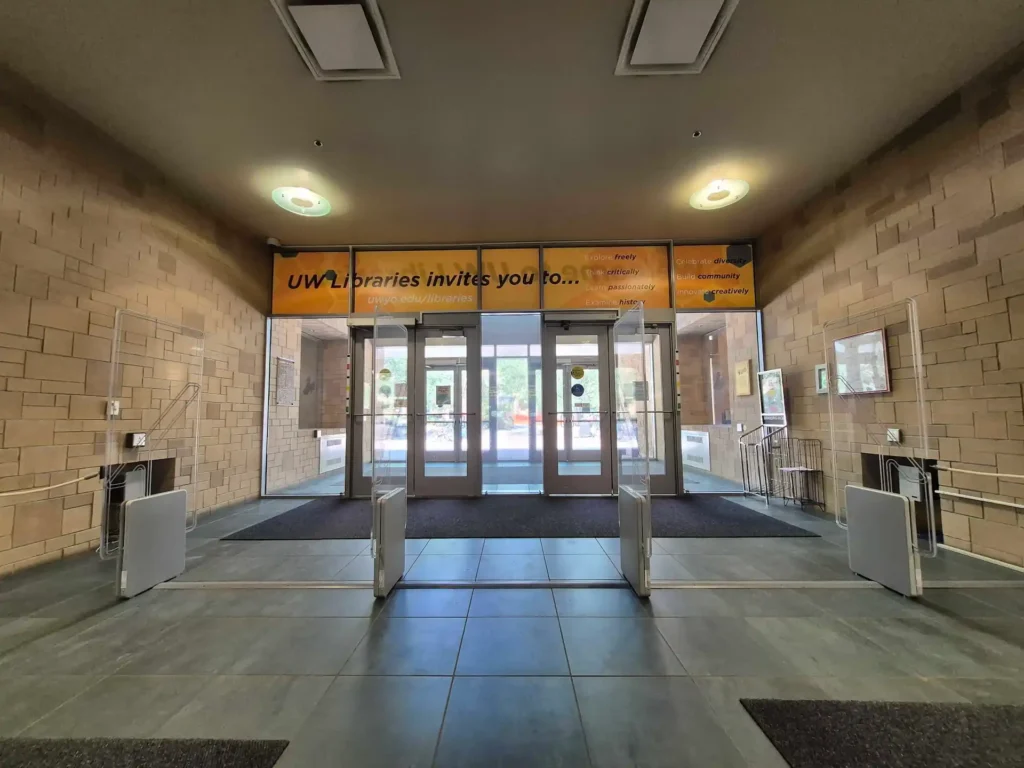
RFID gates at the University of Wyoming Libraries. Photo courtesy of University of Wyoming Libraries.
What the gate knows
A patron walking through a library entrance may reasonably wonder what just happened. It is a fair question, and it deserves a precise answer.
RFID privacy has been an explicit concern in the profession for two decades. Article VII of the Library Bill of Rights frames privacy and confidentiality in library use as a core right. ALA Council adopted a resolution on RFID technology and privacy principles at its 2005 Midwinter Meeting, and the association’s RFID guidelines tell libraries to adopt and enforce a privacy policy before implementing RFID rather than after, to keep bibliographic and user databases secure, and to limit what goes on a tag to a unique identifier or barcode.
The important distinction is this: what the gate sees is not the same as what the library knows.
An electromagnetic marker does not identify the item. An RFID gate may read an item identifier, and software may resolve that identifier to a title. Neither of those inherently identifies the person carrying it. Whether item data can be associated with a person elsewhere depends on the library’s broader environment: its circulation records, its access control, its cameras, its analytics, its retention schedule, and its policies. Those decisions span library policy, IT infrastructure, and the systems involved.
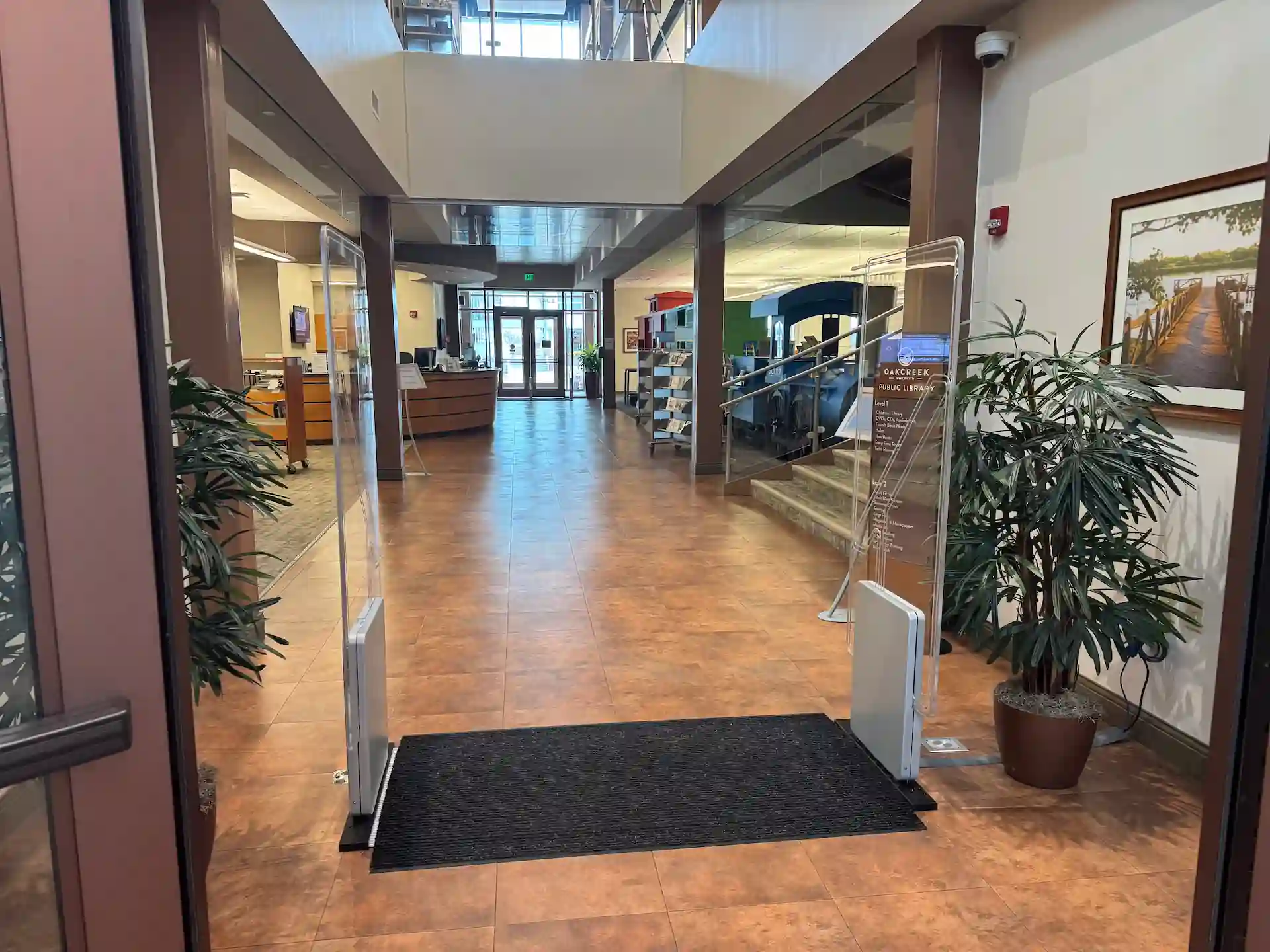
RFID gate ultra at Oak Creek Public Library in Wisconsin.
An entrance that works for everyone
A library entrance communicates something before any staff member speaks. Researchers have long examined the building itself as part of the library experience. In 2002, Leckie and Hopkins studied the central libraries in Toronto and Vancouver and found that both reflected many of the qualities of successful public space. Service research has a name for the broader idea: the servicescape.
Start with the regulatory floor. Under the 2010 ADA Standards, accessible walking surfaces generally need at least 36 inches (91.4 cm) of clear width. Doorways and gates are measured separately and generally require at least 32 inches (81.3 cm) of clear opening. Security barriers cannot obstruct the accessible route.
A product specification is only one part of that picture. Bibliotheca’s RFID gate ultra, for example, supports pedestal spacing up to 68 inches (172.7 cm), giving libraries considerably more flexibility at the entrance. As with any installation, ADA compliance depends on the complete accessible route through the entrance.
Compliance is the floor. The harder question is what the entrance feels like to use.
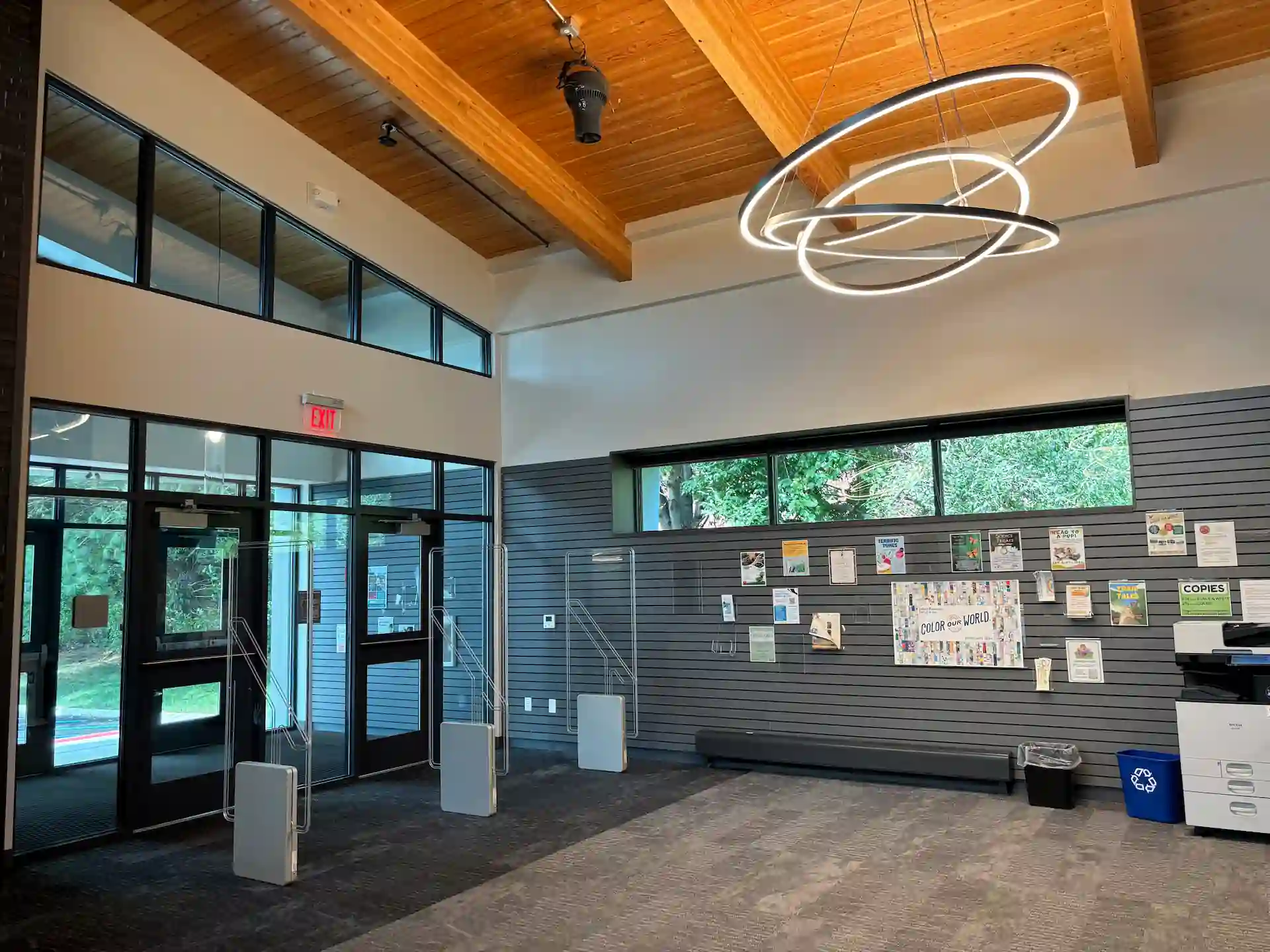
RFID security gates at Warren County Public Library in New Jersey.
Aurora Public Library District replaced gates that were narrower and set closer together. Miriam Meza-Gotto, Director of Marketing and Communications, describes two distinct results. The practical one is that patrons stopped bumping into the gates, with more room for wheelchairs, walkers, strollers, and groups moving together. The second is subtler and more valuable: the change also shifted how patrons perceived the entrance, because they no longer felt they were going through security.
The second result is the harder design brief. The question is not only, “Does it detect?” but “Can people stop noticing it?” A library that has satisfied the ADA and still makes a parent reverse a stroller out of an aisle at four in the afternoon has met the standard without solving the problem.
Bentonville chose wide-aisle gates at its community center location for a reason that appears on no accessibility checklist: patrons arrive carrying large bags of sports equipment. Every entrance has a version of that fact. A university library at exam time, a branch beside an elementary school at 3:15, a central library whose entrance doubles as the route to a public meeting room. The right configuration is a question about the building and its traffic, not a number copied from a datasheet.
Alarm behavior belongs here as much as geometry. Volume, duration, and whether the alarm identifies which aisle it came from are all configuration decisions that directly affect how an entrance feels. They are worth making deliberately rather than simply accepting the default setup.
The last ten feet
A security gate is easy to overlook, and it is one of the most revealing pieces of technology at a library entrance. It is where several of the profession’s commitments have to be reconciled in physical space, at a scale of about ten feet.
A library wants its collection protected and its shelves open. It wants an entrance welcoming to a person with a walker while still responding when an item leaves without a valid checkout. It wants the technology to work without becoming the thing people remember about the visit.
Those commitments do not resolve into a specification. They resolve into choices about width, configuration, alarm behavior, staff procedure, and what happens in the twenty seconds after the beep.
More than five decades after a strip of tape in a book spine at a library in Saint Paul, the equipment has improved considerably, and the underlying trade-off has not moved at all.
Good library security has never been maximum detection. It is the least friction a library can accept while still protecting what belongs to everyone.
Sources and further reading
Standards and professional guidance
2010 ADA Standards for Accessible Design. U.S. Access Board, Chapter 4 guides.
ALA, RFID in Libraries: Privacy and Confidentiality Guidelines.
ALA, Resolution on RFID Technology and Privacy Principles, 2005.
ALA, Library Bill of Rights, Article VII; Privacy and Confidentiality Q&A.
ALA Professional Tips, “Loss Rate.”
Planning a new build or reviewing your library entrance?
Talk with our team about gate configurations, accessibility, and integration requirements.

You may also Like
Insights + Trends
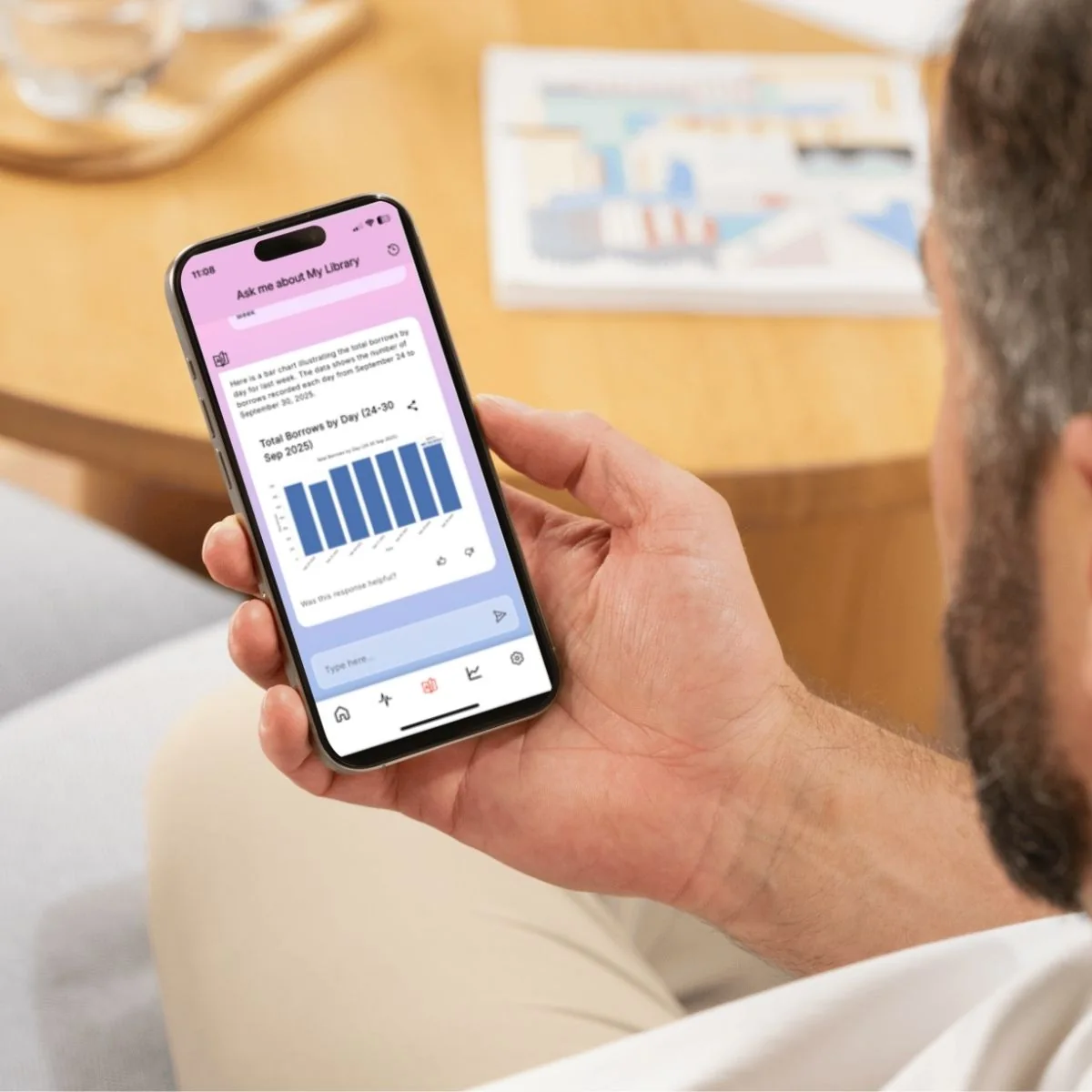
libraryConnect LINK: Managing Devices, Data and Support in One Place
See how libraryConnect LINK gives library teams a clearer way to monitor equipment, manage changes, troubleshoot issues, and use operational data.
RFID in Libraries: What It Is and What It Changes
Learn what RFID tags contain, what it takes to convert a collection, and what libraries should consider for checkout, security, and inventory.

Customer Training | Bibliotheca Academy: Unlocking the Full Potential of your Bibliotheca Products
Discover Bibliotheca Academy, our new Learning Management System designed to help library teams access training, build product knowledge, and get more from their Bibliotheca solutions.